






React Native App Development for iPhone and Android
We build, release and look after React Native apps for businesses in the US, UK, Europe and the UAE: one codebase for both stores, code and skills shared with your React web app, and the back end behind it.
- iPhone & Android Apps One React Native codebase for both stores, with each platform's own controls.
- Shared With Your Web App TypeScript, logic and people shared with a React web app.
- Releases & Support TestFlight, Google Play testing, store review, then updates and fixes.
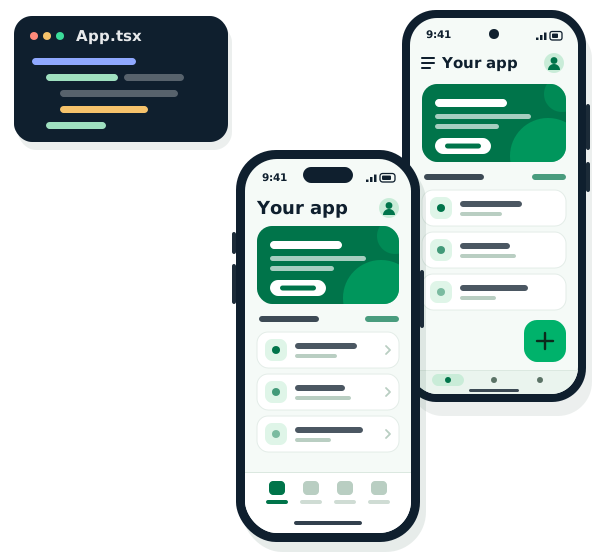
Tested on
real phones
One codebase,
both stores
Ratings and how to get started


React Native development
What we build on React Native
The kinds of apps we build with React Native, and the work we do on each.
-
Customer apps for iPhone and Android
Sign-in, profiles, search, ordering or booking and push notifications, from one codebase with each platform's own controls.
-
A mobile app beside your React site
Types, API calls, validation and business logic shared with your React or Next.js web app, so both stay in step.
-
Ordering, booking and marketplace apps
Catalogues, carts, bookings and checkout through Stripe, Razorpay or in-app purchase, with order updates pushed to the phone.
-
Maps and location
Live location, nearby search and routes on a map, with location access asked for only when the app needs it.
-
Native modules when needed
Bluetooth, background tasks or an SDK with no React Native package, written in Swift and Kotlin and called from the app.
-
Admin panels behind the app
A web panel for your team to manage users, content and orders, and see what is happening in the app.
What we do
React Native development services
What we do with React Native, from a new app and its back end to store releases and the support behind them.
Book a free React Native consultationCommon React Native problems we fix
- An app stuck on an old React Native version
- Builds that fail after an Xcode or Android update
- Packages that are no longer maintained
- Long lists and screens that stutter
- Crashes nobody can reproduce
-
One codebase for both stores, built around the few things your users must be able to do.
-
Expo or bare React Native
Expo and EAS builds for most apps; the bare workflow when the app needs full control of its iOS and Android projects.
-
Swift and Kotlin code for device features and third-party SDKs that have no ready-made React Native package.
-
Node.js, Laravel or Firebase back ends, or a clean connection to the API you already run.
-
Takeovers and upgrades
React Native apps another team wrote, brought up to a current React Native version and packages, step by step.
-
TestFlight and Google Play testing, store review, then fixes, OS updates and new releases.
Choosing how to build
React Native, Flutter or native?
We build apps all three ways, so we have no reason to push you either way. This is how we help clients choose.
-
React Native fits when
- Your team already writes React and JavaScript or TypeScript
- You want to share code and people with a React web app
- You prefer each platform's own native controls
- You want small fixes sent to phones without a store release
-
Flutter fits when
- Your app has its own branded look, with custom screens and motion
- Nobody on your team writes React yet
- You may want a web or desktop version from the same code later
-
Native Kotlin or Swift fits when
- The app leans on device hardware: Bluetooth, sensors, background work
- You need only one platform, or a new OS feature on the day it ships
- You already have a native app and a native team
-
Already have a React web app?
The app can share types, API calls and business logic with it, and the same developers can work on both.
See our React development → -
Not sure what to build first?
We plan mobile apps from the users and flows up, then choose the way to build that fits them.
See our mobile app development →
How we work
From first call to an app in both stores
Six steps, and the same way of working on every app.

Built in from the start
What goes into every React Native app
The parts that keep an app safe to change, easy to look after and yours to keep.
-
TypeScript throughout
Typed screens, API calls and data, so many mistakes show up while the code is written, not on a user's phone.
-
Tests where it matters
Jest tests on the app's logic, and checks on real iPhones and Android phones before each release.
-
Crash reporting from the start
Sentry or Firebase Crashlytics in every build, so a crash is seen with the screen and device it happened on.
-
Secrets kept off the phone
Private keys stay on the back end, and sign-in tokens go in the phone's secure storage.
-
Updates rolled out with care
Store releases tried through TestFlight and Google Play testing first, and small fixes sent over the air where store rules allow.
-
Code and accounts in your name
Your own repository, and the app published under your own Apple and Google developer accounts.
Why Provis
Why work with Provis on React Native
What you can check before you hire us.
-
Your code, your store accounts
The code goes into your repository and the app is published under your developer accounts.
-
Test builds before the stores
You try each release on your own phone before it goes to review.
-
We fix what others left
We take over React Native apps other teams built and make them safe to change again.
-
One project lead
A single point of contact, with a written weekly update and a demo of what was built.
-
Honest framework advice
We build with React Native, Flutter and Kotlin, so we recommend what fits your app.
-
Hours that overlap yours
We are on IST: 4.5 to 5.5 hours ahead of London, 9.5 to 10.5 ahead of New York.
Back ends and integrations
What we connect to React Native apps
The back ends, services and tools we work with most, and the work we build ourselves when nothing ready-made fits.
-
Back endsWhere the app's data lives.
- Node.js
- Laravel
- Firebase
- GraphQL
-
Language and toolingHow the app is written.
- TypeScript
- Expo
- Redux
-
PaymentsCheckout inside the app.
- Stripe
- Razorpay
- Apple In-App Purchase
- Google Play Billing
-
Sign-in and alertsAccounts and push notifications.
- Firebase Auth
- Sign in with Apple
- Firebase Cloud Messaging
-
Maps and locationWhere things are.
- Google Maps
-
Crashes and monitoringProblems seen before users report them.
- Sentry
- Firebase Crashlytics
-
Builds and releasesHow each version ships.
- EAS Build
- fastlane
- GitHub Actions
- App Store
- Google Play
Speed, security and care
Fast, safe and kept up to date
An app is only as good as its slowest screen, its weakest key and its next update. We look after all three, before launch and after it.
-
Smooth on everyday phones
Screens profiled on real devices, images sized for phones and long lists drawn only as the user scrolls.
-
Updates without surprises
React Native, Expo, package and OS updates tried in test builds first, and store requirements kept current.
-
Crash reports and alerts
Crash reporting in every release, so a problem is seen and fixed in the next build.
-
Security basics, done
Sign-in tokens in secure storage, API calls over HTTPS, private keys kept on the server. Card details stay with the gateway.
Cost
What does a React Native app cost?
Every app is different, so we quote after a short call, not from a price list. Within two working days you get an approach, a rough timeline and a rough cost range. No charge, no commitment.
What changes the price
-
Screens and user types
How many screens and flows, and kinds of user such as customers, staff and admins.
-
iPhone, Android or both
Which stores and devices, and whether code is shared with a web app.
-
Back end and API
Whether the app uses an API you already run, or needs a new back end.
-
Integrations
Payments, maps and location, push notifications, ERPs and CRMs.
-
Native features
Device features such as Bluetooth or background work that need native modules.
-
Releases and support
Store releases, monitoring, updates, fixes and new features once it is live.
FAQ
React Native development questions
Straight answers to what clients ask us most.
How much does React Native app development cost?
It depends on the screens and kinds of user, whether you need iPhone, Android or both, the back end, the integrations and any native features. We do not sell fixed packages. After a short call, we send an approach, a rough timeline and a rough cost range within two working days, with no charge and no commitment.
How long does it take to build a React Native app?
An app with a handful of screens on an existing API takes far less time than an app with several kinds of user, payments and a new back end. We give you a realistic timeline after the first call, and you try the app on your own phone through test builds as it is built.
What is React Native?
React Native is an open-source framework, started at Meta, for building iPhone and Android apps with React and JavaScript or TypeScript. The screens use each platform's own native controls, so the app looks and behaves like any other app on the phone.
Should I choose React Native, Flutter or native Kotlin and Swift?
We build all three ways, so the answer depends on your app. React Native suits teams that already write React or want to share code with a React web app; Flutter suits apps with their own branded look; native Kotlin or Swift suits apps that lean on device hardware or need only one platform. We tell you which fits after the first call.
Can the app share code with our React website?
Yes, in part. Business logic, API calls, data types and validation can be shared as TypeScript between the app and a React or Next.js site; the screens themselves are written for mobile. The same developers can work on both.
Do you use Expo or bare React Native?
Most new apps start on Expo: it handles builds, updates and many device features, and still allows custom native code through development builds. We use the bare workflow when an app needs full control of its iOS and Android projects, and we work on existing apps of either kind.
What if the app needs something React Native cannot do on its own?
We write a native module in Swift for iPhone and Kotlin for Android and call it from the app. That covers SDKs with no React Native package, Bluetooth devices and background work.
Can you publish the app on the App Store and Google Play?
Yes. We send test builds through TestFlight and Google Play testing, prepare the store listings and take the app through review. We recommend the app is published under your own Apple and Google developer accounts, so it stays yours.
Can you take over or update an existing React Native app?
Yes. We read the code, get it building again with current Xcode and Android tools, add tests around the parts that break most, then move it to a current React Native version and packages step by step and release it to both stores.
Do you work with companies outside India?
Yes. Our team is in Jaipur on IST, 4.5 to 5.5 hours ahead of London and 9.5 to 10.5 ahead of New York. Our UK company, Provis Global Ltd, is registered in the United Kingdom.
- 1 Project details
- 2 Your details
- 3 Additional info
Tell us about your React Native app
This helps us understand your app and prepare a relevant reply.
Prefer to talk directly?
We're on IST: 4.5 to 5.5 hours ahead of London, 9.5 to 10.5 ahead of New York.