





Cut Your AI Bill Without Worse Answers
Our AI cost optimization finds where your AI money goes, moves simple tasks to cheaper models and tests on your own examples so quality holds. It starts with a free AI cost audit.
 WhatsApp


Why your AI bill keeps growing
AI spend arrives as one line on a provider invoice, plus the AI add-ons inside the software subscriptions you already pay for. Nobody can say which feature or model costs what, so nobody knows what is safe to cut.
-
“We pay one big invoice and can't say what it buys.”

Every call logged with its provider, model, usage (tokens, the units AI providers bill by) and estimated cost, so spend shows by feature.
-
“Every task goes to our most expensive model.”

Each task routed to the model it needs, with tests that show quality holds.
-
“We were charged for calls that failed.”

A failed provider call stops automatically and doesn't keep charging you, and you hear about a low balance first.

The habits that quietly inflate an AI bill
Most wasted spend comes from tasks sent to a bigger model than they need, the same long instructions sent to the AI paid for again and again, and calls nobody logs. We look at each one, starting with the audit.
-
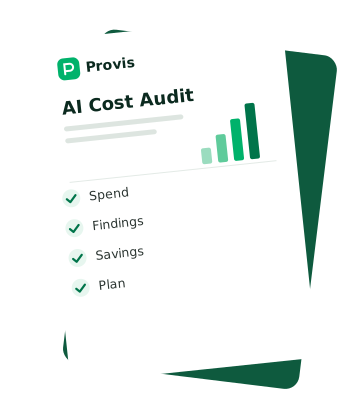
Find where the money goes
A vendor-neutral review of the models, prompts and usage behind your AI features, and the AI inside the SaaS tools you pay for. Every finding comes with its saving, effort and risk to quality.
Free AI cost audit -
A cost log on every AI call
Each call logged with its provider, model, tokens, estimated cost and outcome, and a page that shows the totals.
Chitra case study -
The right model for each task
Simple tasks go to a smaller model and hard ones to a larger one, with tests on your own examples before anything moves.
-
Prompts and caching
Shorter prompts, and the parts that repeat served from a cache, so you stop paying for the same words each time.
-
No paying for failed calls
A failed provider call stops the request, calls stop automatically after a payment error, and a scheduled job warns you when the balance runs low.
Deciding whether to run your own model instead? See private LLM deployment
Know what each AI feature costs, and keep it lower
You see what each AI feature costs and get the changes that lower it. Tests show answer quality held, and logs and alerts keep the bill down.
-

Spend by feature and model
Where your AI money goes, from your billing and usage exports.
-

A list of every finding
Each change with its saving, effort and risk to quality, so you choose.
-

Routing, prompt and caching changes
Made in your code, one at a time, each one tested.
-

Quality tests on your examples
Real tasks with the answers you expect, rerun before any model or prompt changes.
-

A cost log and alerts
Model, tokens and estimated cost on every call, and a warning before a balance runs out.
-

Instructions and a handover for your team
The code in your own code repository, the documentation and a walkthrough.
In production
Chitra: the cost of every AI call, logged
Chitra is Provis's own app that makes branded social media posts in 9 Indian languages. Every generation attempt is logged with its provider, model, tokens, estimated cost and outcome, and the admin panel has a Generation costs page. Because Chitra is our own product, the team that built it also runs it, AI cost included.
- What went wrong
- When the image provider ran out of credit, the app still delivered a placeholder image and took a post from the user's allowance.
- What fixed it
- A failed provider call now fails the post and gives it back to the user's allowance. Calls stop automatically after a payment error, and a scheduled job warns the team when the balance runs low.

How AI cost optimization works
AI cost optimization lowers what you pay for AI models without lowering answer quality. LLMOps (running AI models day to day) is the other half. It logs each call's model, tokens and cost, tests quality, and changes models, prompts and caching with those tests in place. The first finds the saving; the second keeps it.
-
Request
Your AI feature sends a task.
-
Route
The task goes to the model it needs.
-
Cache
Parts that repeat are reused.
-
Cost log
Each call is logged with its model, tokens and estimated cost.
-
Check
Quality tests run before any change ships.
- Request “Summarise this support ticket for the agent.”
- Route A short summary goes to a small, cheaper model.
- Cache The long instructions that open every request are reused, so you do not pay full price for them each time.
-
Cost log
Logs the provider, model, tokens, estimated cost and outcome. -
Cost log
Adds the cost to the support summary's running total, by model. - Check The same tickets, scored against the answers you expect, before the change ships.
If the smaller model scores worse on your examples, the task stays where it was.
We pay AI bills too, on products we run ourselves
We look at your AI bill the way we look at ours. We go feature by feature and model by model, and check quality before anything changes.
 View our work
-
We run AI costs ourselves
Chitra logs the cost of every generation attempt, and Gyanee.ai has AI cost dashboards.
-
Vendor-neutral
We take no commission from any AI tool or provider we recommend.
-
Support after launch
We watch your AI spend and answer quality after launch, and re-check costs when providers change prices.
-
Hours that overlap yours
We work on India Standard Time (IST): 4.5 to 5.5 hours ahead of London and 9.5 to 10.5 ahead of New York.
A saving only counts if the answers stay as good
A cheaper call is no saving if the answer gets worse. So each finding states its risk to quality, and every change is tested on your own examples before it ships.
On every cost project
- Each change with its risk to quality stated before you decide.
- Quality tests on your own examples, rerun before each change ships.
- The audit needs only billing exports and cleaned prompts, never access keys or customer data.
- Usage limits and low-balance alerts, so you hear about spend before the invoice.
See where the money goes before you pay us anything
It starts with the free AI cost audit and a walkthrough of what it found. Then we make the changes you choose, each one tested.

The models and tools we optimise
Standard, widely used tools, so another team could take the code over. We work with the providers you already pay, and with the tools our own products run on.
-
Models
OpenAI and Anthropic models, and open models on Ollama when data has to stay on your servers.
-
 OpenAI
-
 Anthropic Claude
-
 Ollama
-
-
Routing
LangChain and LangGraph calling models through OpenRouter, one service that connects to many AI models, as in Chitra and Gyanee.ai.
- OpenRouter
- LangChain
- LangGraph
-
Data and caching
PostgreSQL and Redis, which Chitra and Gyanee.ai run on.
-
 PostgreSQL
- Redis
-
-
Your AI features
Your chatbot, assistant, search or the AI inside the SaaS tools you pay for.
Provis Technologies AI Integration services are phenomenal. We have been witnessing growth after the AI automation they have put into our business.

Show us the AI bill nobody can explain.
Tell us which AI features you run and what you pay for them. We will tell you where we would look first, or start you on the free audit.




Vivek SharmaCEO & Founder, Provis Technologies
Questions about AI cost optimization and LLMOps
What is AI cost optimization?

Lowering what you pay for AI models without lowering answer quality. It covers which model handles each task, how long the prompts are, what can be cached, and the AI add-ons inside the SaaS tools you pay for. Each change is tested on your own examples before it ships.
What is LLMOps?
LLMOps is running AI models in production: logging each call's model, tokens and cost, testing answer quality, watching for failures, and changing models or prompts safely. Cost optimization finds the saving; LLMOps keeps it, so spend does not creep back up as usage grows.
What is the free AI cost audit?
A vendor-neutral review of the models, prompts and usage behind your AI features, and the AI inside the SaaS tools you pay for. You get a written report where every finding has its saving, effort and risk to quality. It is yours to keep, whether or not you hire us.
What do you need from us for the audit?
Billing or usage exports from your AI providers, a list of your AI tools and plans, and a few sample prompts with customer data removed. We never ask for access keys (API keys), passwords, source code, production or admin access, customer data or health data.
How soon do we get the report?
Within 5 working days of receiving your data. Then a 30-minute call to walk you through it. If you want help with the fixes, we quote that separately, and there is no obligation.
How much can we save?
We cannot say before we look, and we will not guess. The audit puts a saving, an effort and a risk to quality against each finding, from your own billing data. If your spend is already sensible, the report says so.
Will cheaper models make answers worse?
Not if the change is tested first. Each finding states its risk to quality, and we run your own examples through the cheaper route before anything ships. Where quality would drop, the report says so and the task stays where it is.
Do you take commission from AI providers?
No. We are vendor-neutral and take no commission from any AI tool or provider we recommend, so a recommendation to switch, or to stay, is about your bill and your quality only.
Should we host our own model to save money?
Sometimes, when volume is high and data has to stay inside your network. Often a hosted model with routing and caching costs less to run. The audit shows which applies to you; our private LLM deployment page covers the self-hosted route.
How much does AI cost optimization cost?
The audit is free. For the changes, it depends on how many AI features you run and where they live. Tell us what you run, and within two working days we come back with an approach, a rough timeline and a rough number.
How long do the changes take?
It depends on the number of features and how your code is set up. We start with the findings that give the most for the least effort, so the first changes are the easiest to make. We agree the timeline at the walkthrough call.
Is our data safe, and who owns the code?
For the audit we see billing exports and cleaned prompts only, under an NDA on request, and files are deleted within 30 days of the report. For the changes, the code goes into your own code repository and is yours, and you can remove our access at any time.
Do you work with UK and US clients from India?
Yes. We sign an NDA before we start, on request, and work only in the accounts you invite us into. The code goes into your own code repository, and you can remove our access at any time.

Work with experts
Built for teams that want to know what their AI costs
We find where your AI money goes and cut it, with quality tested before anything changes.
Prefer to talk directly?
-
 Emailsales@provistechnologies.com
-
 WhatsApp+91 88755 82124
-
 UK phone+44 7862 126522
-
 Video callBook 30 minutes with Vivek Sharma
We're on IST: 4.5 to 5.5 hours ahead of London, 9.5 to 10.5 ahead of New York.
-
1
 Your AI spend
-
2
Your details
-
3
Additional info
Tell us what your AI costs you
Describe the AI features you run, the providers you pay, and what worries you about the bill.
Prefer to talk directly?
-
Emailsales@provistechnologies.com
-
WhatsApp+91 88755 82124
-
UK phone+44 7862 126522
-
Video callBook 30 minutes with Vivek Sharma
We're on IST: 4.5 to 5.5 hours ahead of London, 9.5 to 10.5 ahead of New York.