







How Provis cleaned up and secured the Strive Training website, and keeps it running.
Strive Training offers free, accredited training for job seekers and employers' staff, from centres in Croydon and Hackney and online. Its WordPress site had security issues. Provis cleaned it up, secured it, and now maintains it.
- Security clean-up
- Hardening
- Maintenance


 Client: Strive TrainingTraining provider, London
A clean, secure site that stays looked after.
- Cleaned
- after a security issue
- Provis removed the infection from the site and checked its files, plugins and accounts
- Secured
- against a repeat
- Updates, tighter access and security checks, so the same problem is less likely to come back
- Ongoing
- maintenance
- Provis keeps the site, its forms and its plugins up to date and working
At a glance
- The client
Strive Training offers free, accredited courses that lead to jobs, with centres in Croydon and Hackney and online courses.
- What Provis does
Cleaned up and secured the WordPress site after a security issue, and maintains it.
- Today
The client's site is live at strivetraining.co.uk, with a separate sign-in for learners.
- Client
- Strive Training
- Industry
- Education and employability: free, accredited training that leads to jobs
- Market
- United Kingdom (London)
- Services
- Website security clean-up, hardening and ongoing maintenance
- Stack
- WordPress, with Gravity Forms for enrolment
- Courses
- Civil Service, hospitality, health and social care and warehousing courses, work academy programmes with Job Centres, apprenticeships, Skills Bootcamps and AI skills training
Free training that is meant to lead to a job.
Strive Training is a training provider. Its courses are free and accredited, and they are for job seekers, learners referred to it and employers' staff. Its home page says "Get the skills. Get the job." and shows an Ofsted logo and the Mayor of London's support.
Learners find a course on the site and enrol through its forms, so the site has to be safe and working every day. When it had security issues, the client brought in Provis to clean it up, secure it and look after it.
How a learner usually gets onto a course
- Find a coursesearch the list for the right subject
- Check the detailsread who can join and the next dates
- Enrolsend a short form, or call
- Sign infollow the course in a learner portal
A typical flow for businesses like this, not a record of this client.
What usually slows a training provider down
The security issue Provis fixed on this site, and problems it often sees on sites like it.
-
The site had security issues
An infected site can be flagged by browsers and search engines, and learners stop trusting the forms they enrol through.
What Provis didA clean-up, then hardeningProvis removed the infection, checked the files, plugins and accounts, updated what was out of date and tightened access.
-
Courses are hard to find
Learners arrive from a job centre or a search, and leave if the course list is long.
How Provis fixes itA clear course listCourses are grouped by subject, with dates and who can join shown up front.
-
People give up while enrolling
Long forms make people leave before they finish.
How Provis fixes itA short enrolment formOnly the questions needed to hold a place, and a clear message when it is sent.
A steady routine for looking after a live site.
- Discovery and auditLook at the site, the goals and what visitors do, and agree a short list of what to fix or build
- Fix and improveMake the agreed fixes and improvements in small steps, so the site stays up
- Test and launchCheck every page and form on phones and desktops, then release in a safe order
- SupportEvery Provis build comes with 24/7 monitoring and support after launch
-
Audit: speed, security, forms and the pages visitors use most.
-
Fix and improve: small, regular changes instead of a big rebuild.
-
Support: monitoring after launch, so problems are caught early.


Support:
Looking after a site is a routine.
After the clean-up, Provis keeps WordPress, its plugins and its forms up to date, fixes what it finds and keeps the changes small and tested.
Changes are tested before they go live.
Monitoring runs 24/7 after launch.
How Provis builds and looks after web platformsStrive Training on a phone.
Five screens from the live site, from the home page to the learner sign-in. Select one to enlarge it.
-
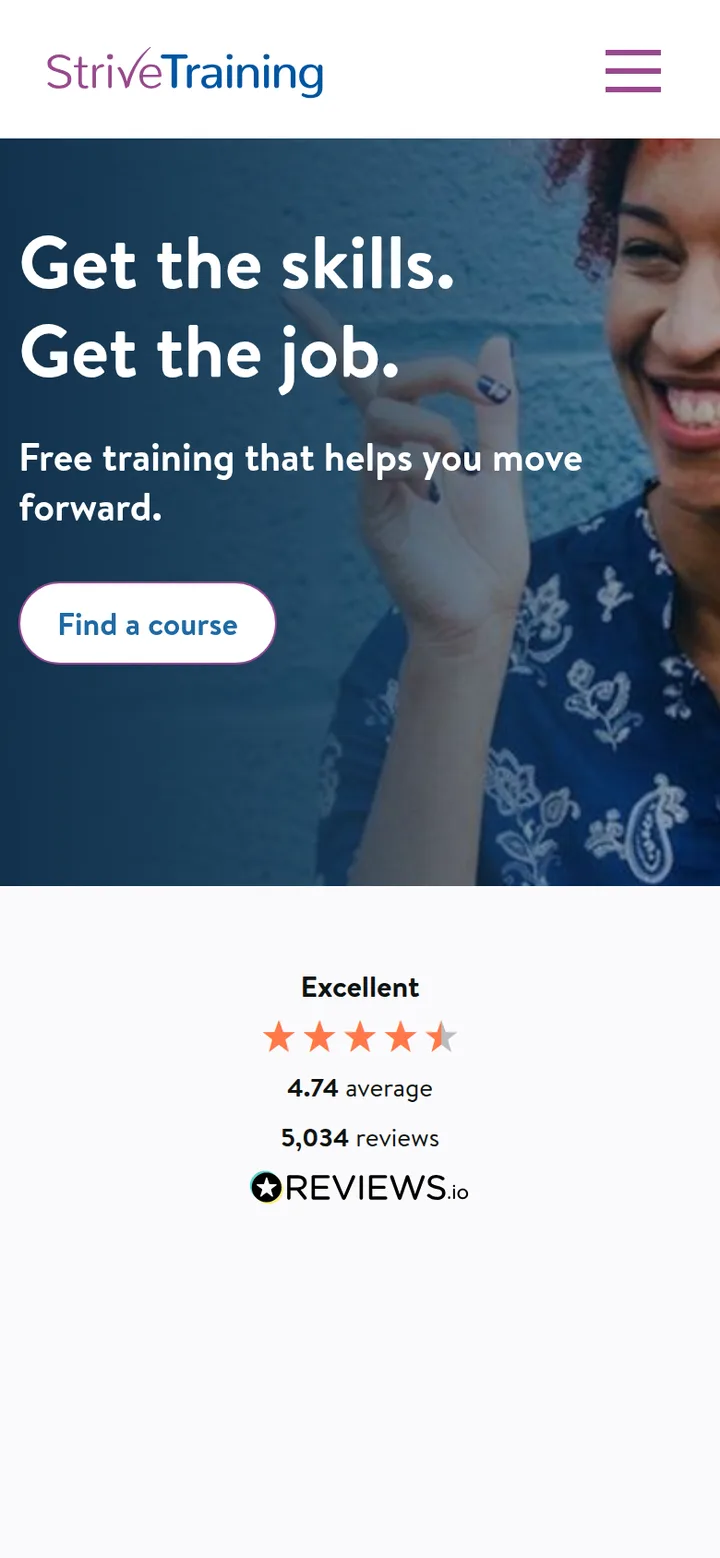
HomeGet the skills, get the job
-
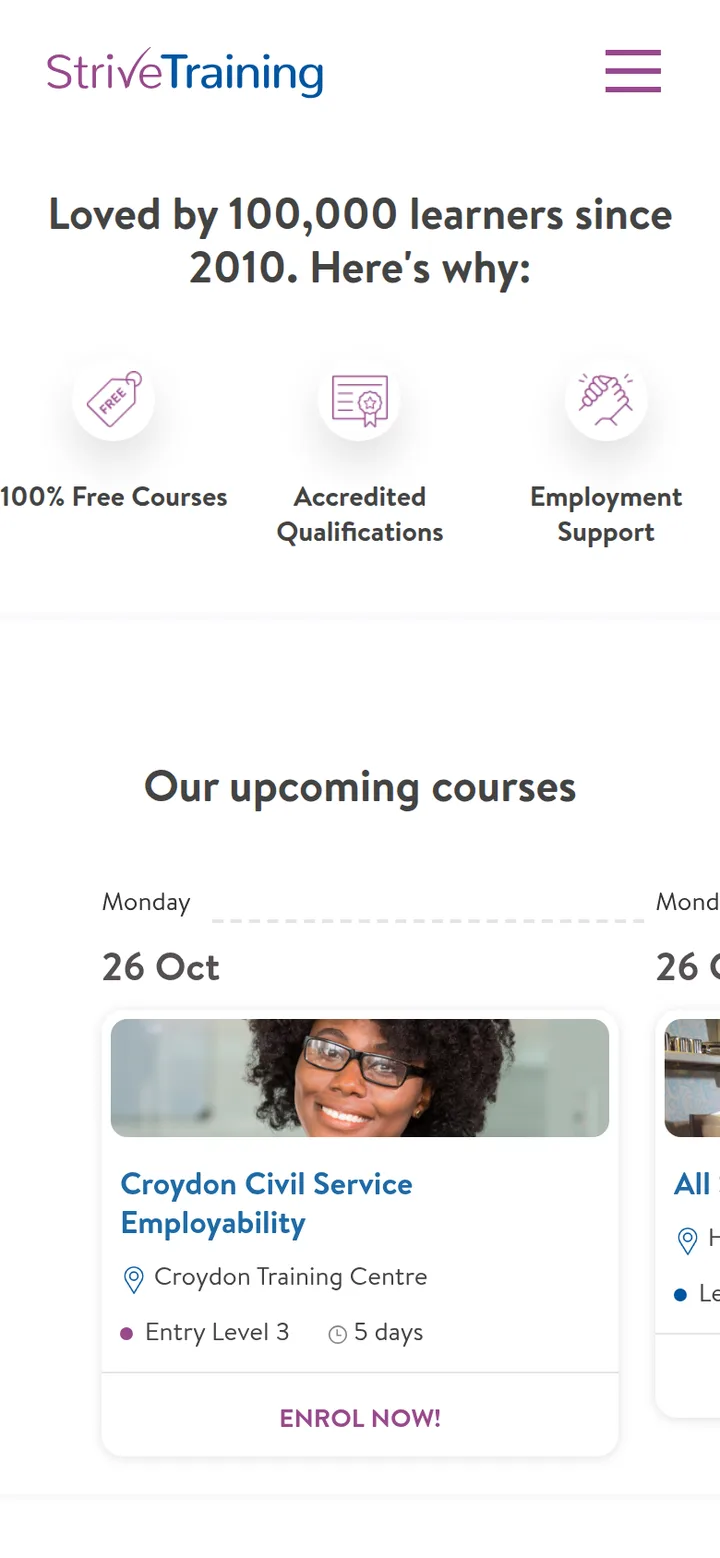
Why StriveFree, accredited, with job support
-

Online learningCourses to take from home
-

A courseCivil Service Skills for Work
-
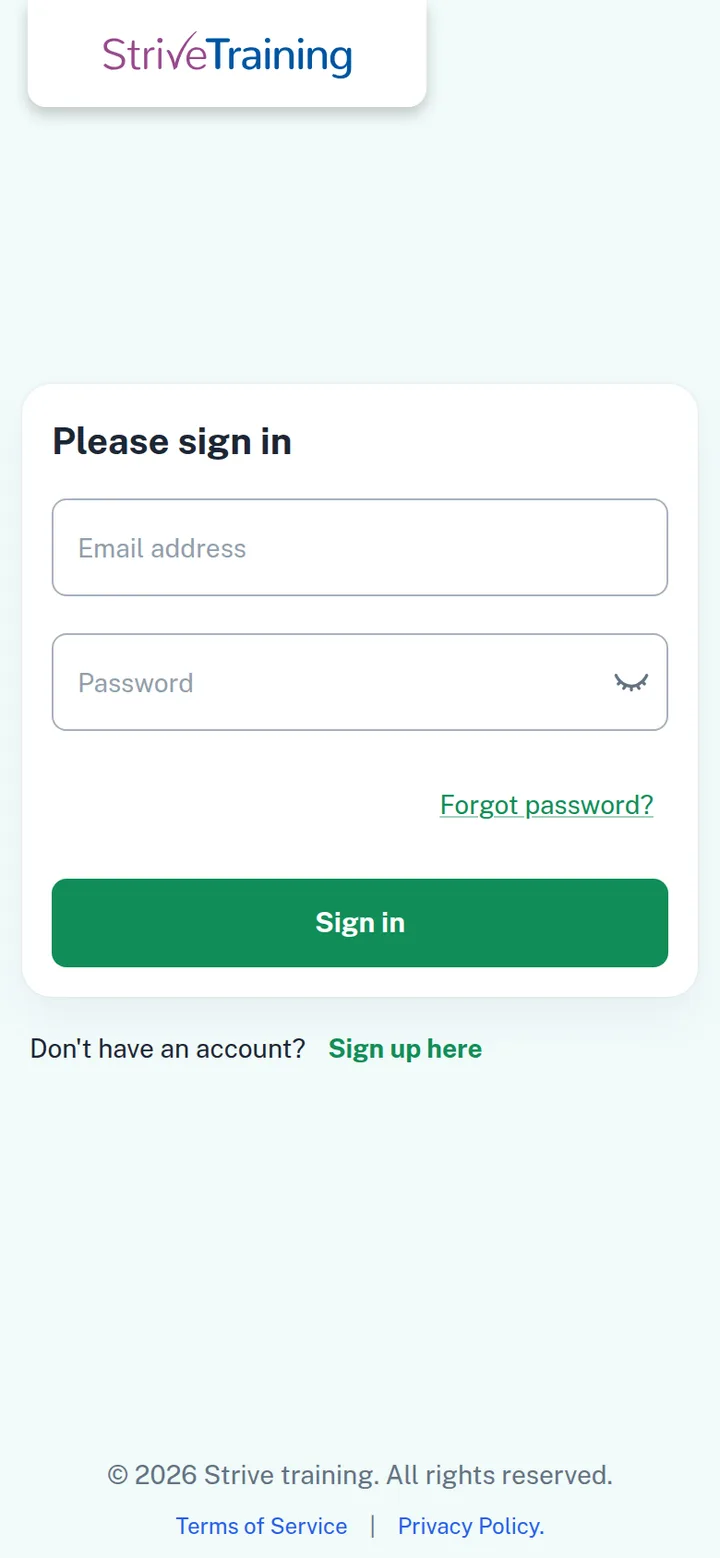
Learner sign-inLearners sign in to their own portal
Live at strivetraining.co.uk.
The site is live, with courses to enrol on and a separate sign-in for learners. The figures are from the client's site, October 2026.
- 100,000
- learners since 2010
- 4.74
- average learner rating
- 5,034
- learner reviews
- 2
- centres: Croydon and Hackney
 strivetraining.co.uk (opens in a new tab)
After launch
Clean, secure and maintained.
Courses run at centres in Croydon and Hackney and online, with upcoming dates listed on the home page.
On a phone the menu sits behind a button, with Find a course and Enrol Now buttons in reach.
Provis keeps WordPress, the plugins and the enrolment forms up to date after the clean-up.
Every Provis build comes with 24/7 monitoring and support after launch.
How every Provis project runs
- One project leadyour single point of contact
- A written weekly update and a demoof what was built that week
- A staging link and your repoyou see the work as it is built; the code goes straight into your repo
- QA before launchour QA team tests every feature
- Yours from day onecode repo, cloud account and domain in your company's name; our team joins as collaborators, and you can remove access at any time
- Our team works in India, on ISTUTC+5:30: 1.5 hours ahead of Dubai, 4.5 ahead of London (5.5 in winter), 9.5 ahead of New York (10.5 in winter)
Need a team to look after your site?
Tell us about your site and what you need looked after. We will come back within two working days with an approach, a rough timeline and a rough cost range. No charge, no commitment.
 WhatsApp us
Send us a message
indicates a required field